eFactory Wallet
Prepay once.
Buy power for any meter.
Your own account number for top-ups. Pay for electricity with your PIN. No card needed.
Your wallet is in the app too

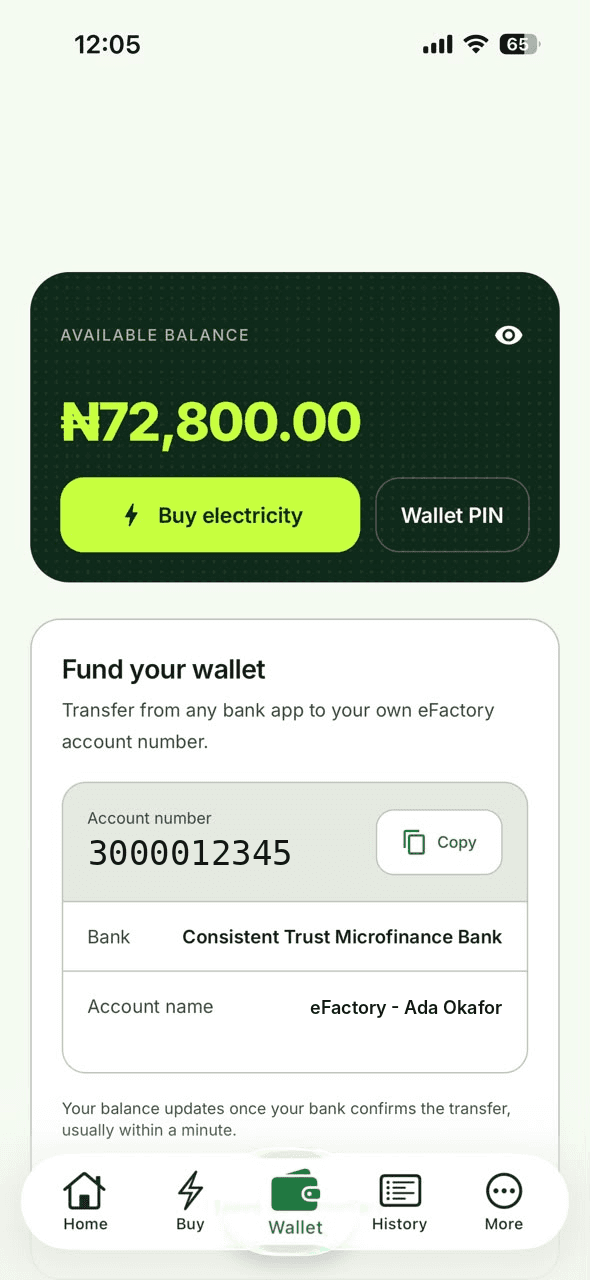
Funding your wallet
Top up from any bank app. That’s it.
- 01
Copy your account number
Every eFactory account comes with its own number, shown in your Wallet tab.
- 02
Send a transfer
Use any bank app to send money to the account number shown in your Wallet tab.
BankConsistent Trust Microfinance Bank - 03
Your balance updates
As soon as your bank confirms the transfer.
Why pay from your wallet?
Faster checkout
Confirm with your PIN. No card details to type in.
Any meter
One balance covers every meter on your account.
Budget ahead
Set money aside for power and top up when it suits you.
Clear history
Every top-up and purchase, with its status.
Wallet questions
How long does a top-up take?
Your balance updates once your bank confirms the transfer. Most transfers confirm within minutes.
What is my Wallet PIN for?
You use it to approve payments from your wallet. Set it, or reset it with a code sent to your phone, from the Wallet tab.
I sent money but my balance hasn’t changed.
Tap “I have sent money” in your Wallet, or reach our support team on email or chat. We’re available 24/7.
Can I use my wallet without an account?
No. The wallet belongs to your eFactory account, so you need to sign up first. You can still buy electricity without an account by bank transfer.